Structure HR operations without piling up tools
Airprocess helps HR teams track requests, approvals, employee files and deadlines in one space. You keep a setup that stays simple, traceable and easy to adopt.


Airprocess helps HR teams track requests, approvals, employee files and deadlines in one space. You keep a setup that stays simple, traceable and easy to adopt.
When data, documents and approvals are split across emails, files or tools, follow-up becomes fragile and time-consuming.
Applications, interviews, onboarding, leave requests and HR documents are spread across several files or inboxes.
Leave, expense or training requests stay blocked because the approval path is unclear and reminders are inconsistent.
Contracts, payslips, certificates and welcome procedures are stored without a shared structure or reliable history.
Recruiting, onboarding and annual reviews depend too much on local habits and on the people currently in place.
Airprocess adapts to your HR practices and makes requests, approvals, deadlines and supporting documents visible.
1
shared workspace for HR files, requests, documents and approvals
100%
of steps traced across recruiting, onboarding and employee requests
0
development required to adapt HR forms and approval flows
Real time
visibility on delays, pending approvals and people to follow up
Human resources teams must handle very different flows: recruiting, employee follow-up, document obligations, administrative requests and training.
Airprocess lets you model those processes with your own stages, owners, checklists, document templates and approval levels.
The result is more consistent HR workflows, better follow-up quality and less dependency on manual reminders or side spreadsheets.
-> Recruiting and candidate pipeline
-> Annual reviews and evaluation campaigns
-> Onboarding, checklists and welcome procedures
-> HR document archiving and employee file access
-> Leave, expenses and approval flows
-> Internal training and certificate follow-up
HR USE CASES
A single platform can cover very different HR needs while keeping a simple and consistent tracking logic.
Track open roles, centralize applications, prepare interviews and keep a clear history of hiring decisions.
RECRUITING
Structure review campaigns, assign owners, gather summaries and track related action plans.
REVIEWS
Manage arrival checklists, access provisioning, required documents and welcome procedures in one shared path.
ONBOARDING
Store contracts, payslips, training certificates and other HR records in a structured and accessible file.
DOCUMENT MANAGEMENT
Formalize requests, automate approvals and keep visibility on pending decisions and arbitration.
LEAVE
Collect supporting documents, apply your approval flows and track reimbursements from one interface.
EXPENSES
Plan sessions, track registrations, store certificates and monitor progress across training paths.
TRAINING
Airprocess helps you see who must act, which documents are missing, which approvals are blocking and which deadlines are approaching, without rebuilding the information by hand.
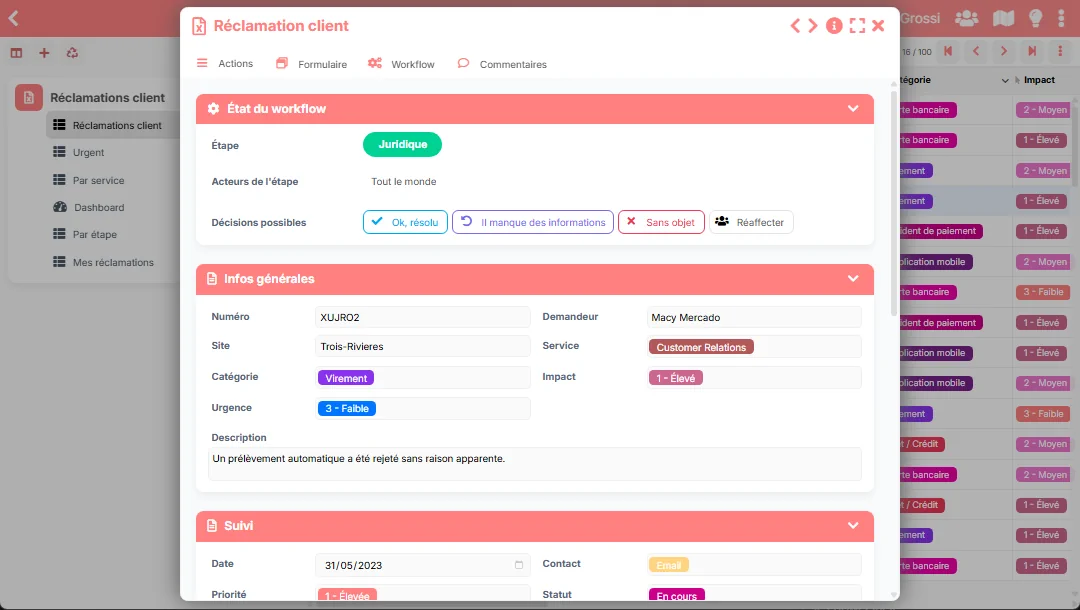
A simple method to move from scattered follow-up to reliable and consistent HR workflows.
Configure forms, stages, roles, required documents and checklists according to your recruiting, onboarding or administrative practices.
Each request follows the proper path, owners are notified and supporting documents stay attached to the right file.
HR teams and managers see what is moving, what is blocked and what remains to be handled, with a shared history.
Centralize HR journeys, approvals and documents in a workspace that is clear, traceable and easy to maintain.